How to reset your research account password fast
TL;DR:
- Losing access to research accounts can disrupt critical peptide studies, making quick password resets essential. Knowing platform-specific recovery procedures, preparing necessary information, and practicing proactive account management ensure research continuity. Proper security measures and institutional contacts help mitigate delays during account recovery, saving time during urgent research situations.
Losing access to a research account is not just an inconvenience — it can stall critical peptide study timelines, delay order tracking, and interrupt access to specialized materials exactly when you need them most. Knowing how to reset your research account password correctly, and quickly, is a practical skill every serious researcher should have. This guide walks you through what to prepare, how to execute the reset on major platforms, how to troubleshoot the problems that often derail the process, and how to keep your account secure once you are back in.
Table of Contents
- Essential tools and prerequisites for resetting your research account password
- Step-by-step instructions to reset passwords on major research platforms
- Troubleshooting common issues and mistakes in password resets
- Verifying and securing your account after resetting your password
- Why managing your research account passwords proactively is key to uninterrupted peptide work
- Explore Peppy&Me’s secure research peptide platform and support
- Frequently asked questions
Essential tools and prerequisites for resetting your research account password
Before you start the password reset process, understanding what you need and having the right tools ready will simplify the next steps.
Many researchers go directly to the “Forgot Password” link without pausing to confirm they have what the system actually requires. That leads to failed resets, delayed email links, and unnecessary frustration. Taking two minutes to check the following before initiating account password recovery saves considerably more time on the back end.
What you need before you begin:
- Registered email address. This is the most critical prerequisite. The platform sends the reset link or temporary password exclusively to the email address on file. If you are unsure which address is registered, check any previous confirmation emails from the platform.
- Username or user ID. Most research platforms require this alongside your email. For NIH eRA Commons, for example, your Commons User ID is distinct from your email address, and both may be needed depending on the recovery path you choose.
- Access to your inbox in real time. Temporary passwords are emailed only to the address registered in the eRA Commons profile and are valid for 48 hours. Delays in checking email can invalidate the link entirely.
- Institutional contact information. If self-service options fail, you will need the name or contact details of your organization’s Signing Official (SO) or Account Administrator (AA). These roles have administrative access to assist with recovery through their platform modules.
The table below summarizes what each common research platform typically requires before you initiate a reset.
| Platform | Required identifier | Reset delivery method | Expiration window |
|---|---|---|---|
| NIH eRA Commons | Commons User ID or email | Temporary password via email | 48 hours |
| NCBI My NCBI | Username or registered email | Reset link via email | Varies |
| Elsevier Editorial Manager | Email per journal account | Login details via email | Varies |
| Institutional portals | Username or employee ID | IT helpdesk or email | Institution-defined |
Understanding these differences is important because applying the wrong recovery method to the wrong platform wastes time. For researchers using a secure access setup guide when first configuring their accounts, these details should already be documented. If they are not, this is a good time to start that habit.
Researchers working within larger institutions should also be aware of why secure research portals matter from both a compliance and a data protection standpoint. The same principles that justify strong security also explain why these systems do not offer instant, frictionless recovery.
Step-by-step instructions to reset passwords on major research platforms
Now that you know what you need, here is how to reset passwords on the major platforms you are most likely to use as a peptide researcher.
NIH eRA Commons
eRA Commons is the grant management portal used by federally funded researchers. The reset process is straightforward but has an important time constraint.
- Go to the eRA Commons login page.
- Click “Forgot Password/Unlock Account” below the login fields.
- Enter your Commons User ID exactly as it appears in your account confirmation.
- Submit the request. A temporary password is emailed to your registered address and must be changed within 48 hours.
- Log in using the temporary password.
- Follow the prompts to create a new permanent password that meets the complexity requirements (typically a mix of uppercase, lowercase, numbers, and special characters).
NCBI My NCBI
My NCBI is used for saving search results, managing PubMed alerts, and accessing related research databases.
- Navigate to the NCBI login page.
- Click “Sign In” then select “Forgot username or password.”
- Enter your username or the email address associated with your account. NCBI allows recovery by entering either identifier.
- Check your email for reset instructions and follow the link provided.
- Create a new password and confirm it.
Elsevier Editorial Manager
Editorial Manager is used by researchers submitting manuscripts and peer reviewing articles.
- Go to the specific journal’s Editorial Manager login page. This step is critical because Elsevier’s Editorial Manager requires using the “Send Login Details” link on the specific journal’s login page, not a central portal.
- Click “Send Login Details” and enter your registered email address.
- Retrieve the email and use the credentials or link provided.
- Update your password upon logging in.
Comparison of reset experiences across platforms:
| Platform | Self-service available | Time to receive email | Admin escalation path |
|---|---|---|---|
| NIH eRA Commons | Yes | Usually within minutes | Signing Official or Account Administrator |
| NCBI My NCBI | Yes | Usually within minutes | NCBI Help Desk |
| Elsevier Editorial Manager | Yes, per journal | Usually within minutes | Journal editorial office |
Understanding research compliance portals and how their access structures differ is particularly relevant here. eRA Commons and NCBI are federal systems with strict security protocols, while Elsevier operates journal-by-journal, which creates a different kind of complexity.
Pro Tip: Before submitting a reset request, open a private or incognito browser window. This prevents cached credentials or autofill from interfering with the process and ensures the system reads your input fresh.
Troubleshooting common issues and mistakes in password resets
Even with clear instructions, sometimes problems occur. Here is how to troubleshoot the most frequent obstacles so you avoid repeated errors.
Common issues and how to address them:
- Not receiving the reset email. Check your spam and junk folders first. If nothing appears after 10 minutes, verify that you entered the correct registered email address. Many researchers have multiple email accounts and may have registered with a work address they rarely monitor.
- The reset link or temporary password has expired. This happens more often than expected, especially on eRA Commons where the window is only 48 hours. Simply return to the login page and initiate a new request.
- Account lockout from repeated failed attempts. Repeated failed login attempts lock eRA Commons accounts for 15 minutes after 5 consecutive invalid attempts within an hour. If you hit this limit, wait the full 15 minutes before trying again rather than continuing to attempt login.
- Autofill inserting your old password. This is a surprisingly common technical issue. Browser cache and saved password autofill can cause the old password to appear, leading to failed attempts during expired password changes. Clear your browser cache and disable autofill before setting a new password.
- Lost access to the registered email address. This is the most serious scenario. Contact your institution’s Signing Official or Account Administrator directly. They can update the registered email and initiate a reset through their administrative module.
- Elsevier reset not working. Remember that each journal has a separate database. A reset on one journal’s portal does not carry over to another. You must repeat the process per journal.
Important: If your account remains locked or inaccessible after following all self-service steps, do not continue making login attempts. Each failed attempt can extend your lockout or trigger additional security flags. Contact the platform’s support team or your institutional administrator promptly.
Pro Tip: Keep a secure, offline record of which email address is registered with each research platform. A simple spreadsheet stored in an encrypted folder or a password manager with notes fields works well. This single habit eliminates the most common source of failed password resets.
Researchers using private membership platforms should also understand how member portal security is structured and what recovery options are built into the system before a lockout occurs, not after.

Verifying and securing your account after resetting your password
Once your password is reset, verifying success and securing your account is important to protect your research data and maintain reliable access going forward.
Steps to take immediately after a successful reset:
- Log in and confirm access right away. Do not assume the reset worked until you have successfully authenticated and can navigate your account normally. After setting a new password on eRA Commons, it is effective immediately and users should avoid browser password saving for security reasons.
- Review your registered email address. While you are in your account settings, confirm the email on file is current. An outdated email address is the number one cause of failed resets during critical research periods.
- Update linked tools or integrations. If you use desktop applications, institutional single sign-on (SSO) systems, or third-party research tools that authenticate through the platform, update those credentials now.
- Document the new credentials securely. Use a dedicated password manager rather than saving credentials in your browser. Password managers encrypt stored data and give you controlled recovery options that browser-based saving does not provide.
- Set a reminder for your next scheduled password update. Most federal research platforms require password changes annually or bi-annually. Setting a calendar reminder 30 days before expiration prevents the urgency of a forced reset during active research phases.
Research account security tips worth building into regular practice:
- Use a unique password for each platform. Reusing passwords across research portals significantly increases risk if one account is compromised.
- Enable two-factor authentication (2FA) where the platform supports it. eRA Commons, for example, now uses Login.gov, which includes 2FA as a standard feature.
- Never share account credentials with colleagues, even for convenience. Most platforms offer role-based access or delegation features that provide access without sharing passwords.
The steps described here align with broader laboratory safety tips that apply beyond physical safety to data and system integrity. Treating digital access with the same discipline as laboratory protocols is a standard that more research environments are adopting.
Why managing your research account passwords proactively is key to uninterrupted peptide work
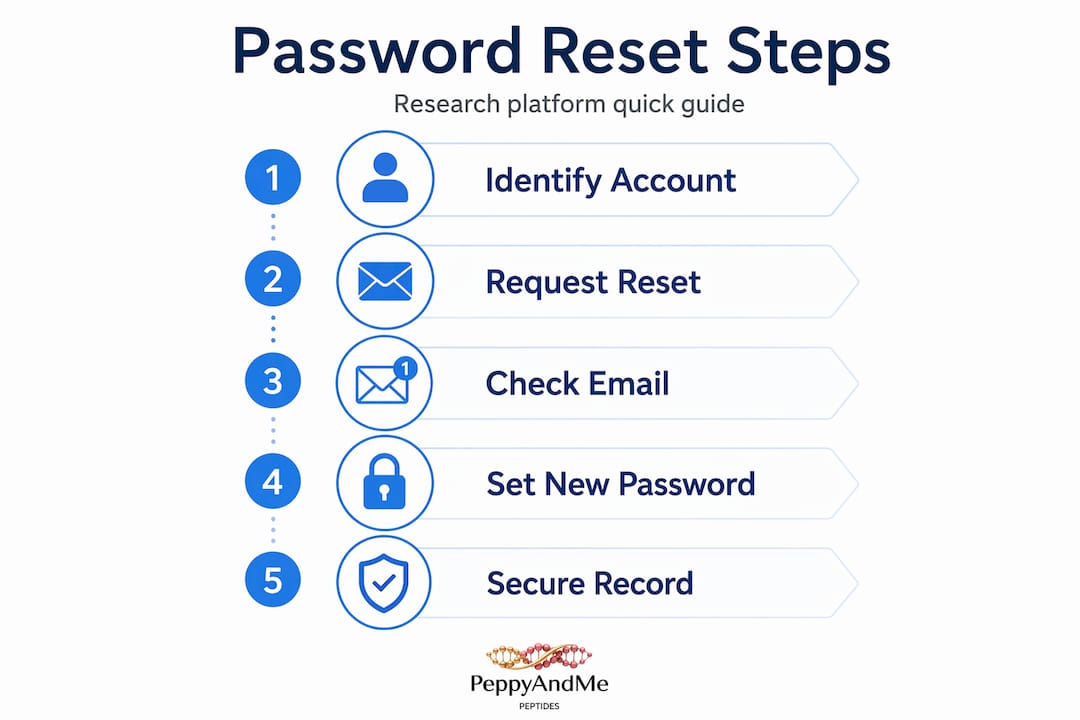
Most discussions around password resets focus on the mechanics: click here, enter that, wait for the email. What they rarely address is the organizational and behavioral layer underneath the problem, and that is where the real risk lives for working peptide researchers.
Here is the uncomfortable reality. Email-based recovery works well until it does not. The moment a researcher changes institutions, retires an email domain, or loses access to a mailbox during an IT transition, the standard recovery path fails entirely. At that point, the only option is escalating to a Signing Official or Account Administrator, which when self-service resets fail due to lost email access, ensures recovery but adds meaningful delay. That delay, during an active research cycle, is not trivial.
The better approach is to treat your institutional contacts as part of your research infrastructure, not just a fallback. Know who your Signing Official is before you need them. Confirm that your contact details are current in every platform you use at the start of each research year, the same way you verify reagent stock or renew certifications. This is not overcaution. It is the kind of operational discipline that keeps research programs moving.
Platform-specific reset nuances are another area where advance knowledge pays off. Understanding that eRA Commons uses a 48-hour temporary password window, while Elsevier requires per-journal resets, means you approach each platform correctly the first time. Researchers who learn these details only during a lockout spend considerably more time resolving the issue than those who mapped it out in advance.
There is also value in treating the membership approval workflow as a living document in your lab or research team. Any time a team member is added, modified, or removed from a platform, the relevant credentials and recovery contacts should be updated accordingly. The alternative is a fragmented system where no single person has a clear picture of who has access to what, which is a compliance risk as much as a security one.
Proactive password management is, at its core, a research continuity decision. The time investment is small. The alternative, a lockout during a grant deadline or a critical protocol window, is not.
Explore Peppy&Me’s secure research peptide platform and support
With your password reset knowledge in hand, consider how the right platform can make account access and research continuity far easier from the start.
Peppy&Me is built specifically for peptide researchers who need both reliable access and confidence in what they are sourcing. The peptide membership portal is designed with security-first account management, making it straightforward to manage your credentials, track orders, and access materials without the technical friction common to less purpose-built platforms. Combined with a secure access setup guide tailored to research workflows, getting started and staying in is simple. Explore the full range of research peptides at Peppy&Me and experience a platform where account security and research quality work together.
Frequently asked questions
What should I do if I no longer have access to the email linked to my research account?
You should contact your organization’s Signing Official or Account Administrator, who can use the Admin module to reset your password and update the registered email. If you no longer have access to the email on your eRA Commons account, this institutional pathway is the only available route for recovery.
How long is the temporary password valid after a password reset request on eRA Commons?
Temporary passwords are valid for 48 hours and must be used within that window to log in and set a permanent password. Temporary passwords sent via email expire after 48 hours, so checking your inbox promptly after submitting a reset request is essential.
Can I reset passwords for multiple journals at once in Elsevier’s Editorial Manager?
No. Each journal has separate user databases, so password resets must be performed for each journal account individually through its specific portal. There is no central Elsevier reset that covers all journals simultaneously.
What happens if I enter the wrong password multiple times on eRA Commons?
After five consecutive failed attempts within a 60-minute period, your account will be locked for 15 minutes. eRA Commons accounts lock for 15 minutes after this threshold, so waiting out the lockout period before attempting again or requesting a reset is the recommended course of action.