Secure access setup guide: protect peptides & data in 2026

Protecting peptide research data is no longer optional. Labs relying on legacy VPNs and shared credentials are running a serious risk, and stolen credentials drove a significant share of remote access breaches in the 2025 Verizon DBIR. For researchers and lab managers handling confidential peptide materials, a breach means more than lost data. It means regulatory exposure, compromised studies, and damaged institutional trust. This guide walks through a tested, stepwise approach to secure access, covering the right frameworks, tools, and monitoring routines so your lab stays protected, compliant, and operational.
Table of Contents
- Understanding secure access principles for research labs
- Preparation: Tools, requirements, and role assignments
- Step-by-step secure access setup process
- Verification and ongoing monitoring: Ensuring access security
- Why secure access in research isn’t just IT’s problem
- Advanced solutions for peptide research access
- Frequently asked questions
Key Takeaways
| Point | Details |
|---|---|
| Zero Trust is essential | Continuous user and device verification dramatically reduces breach risks in research labs. |
| Preparation sets the stage | A thorough checklist of tools and baseline security is crucial before granting access. |
| Stepwise setup works | Combining MFA, VPN/ZTNA, SSH, and regular audits results in effective secure access control. |
| Monitoring prevents lapses | Routine log review and access validation catch problems before they become incidents. |
| Collaboration is key | Researchers, not just IT, must actively support access security to protect data and compliance. |
Understanding secure access principles for research labs
Secure access in a research context means more than a password and a VPN tunnel. It means continuously verifying who is connecting, from which device, and under what conditions, every single time. That is the foundation of Zero Trust Architecture.
NIST SP 800-207 defines Zero Trust Architecture (ZTA) as a model requiring continuous verification of identity, device posture, and context before granting access to any resource, including sensitive peptide data repositories. There is no implicit trust, even inside the network perimeter.
Legacy VPNs operate differently. Once a user authenticates, they receive broad network-level access. That creates a serious problem: if credentials are stolen, an attacker can move laterally across systems. ZTNA vs. VPN comparisons consistently show that Zero Trust Network Access (ZTNA) limits users to specific applications and resources, eliminating that lateral movement risk entirely.
For academic and pharma labs, the threat landscape is especially sharp. Common attack vectors include:
- Stolen credentials from phishing or reused passwords
- Unpatched endpoints connecting to lab systems remotely
- Lateral movement after an initial compromise
- Insider misuse of overly broad access privileges
Compliance adds another layer of urgency. FDA 21 CFR Part 11, DEA Schedule II/III controls, and IRB data governance all require documented access controls and audit trails. Failing an audit because of poor access hygiene can freeze a study or delay a regulatory submission.
For labs working with highly sensitive materials, TRE data quarantine best practices recommend using Trusted Research Environments (TREs) or secure enclaves that isolate data from the broader network. Data entering or leaving a TRE is scanned and quarantined before processing.
| Feature | Legacy VPN | ZTNA |
|---|---|---|
| Trust model | Network-level post-auth | Per-session, per-resource |
| Lateral movement risk | High | Low |
| Device posture check | Rarely enforced | Required |
| Compliance audit support | Limited | Strong |
| Best for | Small, low-risk setups | Research labs, pharma |
For labs supporting secure peptide collaborations with external partners or institutions, ZTNA is the more defensible choice in 2026.
“Zero Trust is not a product. It is a strategy that assumes breach and verifies continuously. For research labs, it is the only architecture that matches the threat model.”
Preparation: Tools, requirements, and role assignments
Before configuring a single firewall rule, you need the right tools in place and a clear picture of who has what level of access. Skipping this step is where most lab security setups break down.
Here is a baseline checklist for every lab preparing to implement secure access:
- VPN client configured with IKEv2/IPsec and AES-GCM-256 encryption
- SSH client (OpenSSH recommended) with Ed25519 key pairs
- MFA application supporting phishing-resistant protocols (FIDO2/WebAuthn preferred)
- Endpoint protection software with real-time threat detection
- Admin rights confirmed for the implementation lead only
- Device patch status verified across all endpoints
VPN hardening standards specify using IKEv2/IPsec with AES-GCM-256 encryption, phishing-resistant MFA, and mandatory device posture checks before granting access. SSH hardening means disabling password authentication entirely and switching to Ed25519 keys with passphrases.
For academic environments, UAB Cloud documentation confirms that SSH key pairs with passphrases are standard for remote compute instances, with bastion hosts providing access segmentation and UFW firewalls restricting open ports.
Role assignments matter as much as tooling. Define two tiers clearly:
| Role | Permissions | Access scope |
|---|---|---|
| Lab administrator | Full config rights, user provisioning | All systems, audit logs |
| Standard researcher | Read/write to assigned projects only | Specific data environments |
Bastion hosts (also called jump hosts) act as the single entry point into your secure environment. Only the bastion is exposed to external traffic. Everything behind it is invisible to the open internet. Configure the bastion with strict SSH key authentication and log every session.

For managing confidential data access workflows, confirm that each user’s device meets your security baseline before provisioning credentials. This includes OS patching, disk encryption, and active endpoint protection.
Pro Tip: Run a full vulnerability scan on every device that will connect to your lab systems before implementation. Tools like OpenVAS or Tenable Nessus can surface unpatched software or misconfigured services that would otherwise become entry points.
Step-by-step secure access setup process
With your tools staged and roles assigned, follow these steps in sequence. Skipping ahead creates gaps that are hard to detect and easy to exploit.
Step 1: Verify device and user identity on every access attempt.
Before any session is established, confirm that the device meets your security baseline (patched OS, active endpoint protection, disk encryption) and that the user’s identity is validated through your directory service.
Step 2: Configure VPN or ZTNA with phishing-resistant MFA.
Set up your VPN with IKEv2/IPsec or deploy a ZTNA solution. Enforce FIDO2 or hardware token MFA for all users. CISA TIC 3.0 mandates least privilege access, phishing-resistant MFA, and risk-based authentication that factors in device posture and geolocation for any research remote access setup.
Step 3: Set up SSH with Ed25519 keys and disable password authentication.
Generate Ed25519 key pairs for every authorized user. Disable password-based SSH login in the sshd_config file. Change the default SSH port to reduce automated scanning noise. Restrict which IP ranges can initiate SSH connections.
Step 4: Segment entry using bastion hosts.
Route all remote access through your bastion host. No direct connections to internal research systems should be permitted from outside the network. This limits your attack surface to a single, hardened entry point.
Step 5: Enforce firewalls, configure Fail2Ban, and activate log collection.
Use UFW or iptables to allow only necessary ports. Deploy Fail2Ban to automatically block IPs after repeated failed login attempts. Enable centralized log collection immediately. AWS TRE guidance recommends combining VPN with MFA at the perimeter and scanning all data on ingress and egress within secure enclaves.
For labs that need to manage peptide dosage data or coordinate with external collaborators, setting up secure partner access through a properly segmented environment protects both your data and your partners’ systems.
Pro Tip: After completing setup, have a colleague attempt access from an unregistered device. If your controls are working, they should be blocked at the device posture check before any credentials are even requested.
Verification and ongoing monitoring: Ensuring access security
Setup is only part of the solution. Maintaining security requires relentless verification and monitoring. A well-configured system that goes unmonitored will drift out of compliance faster than most lab managers expect.
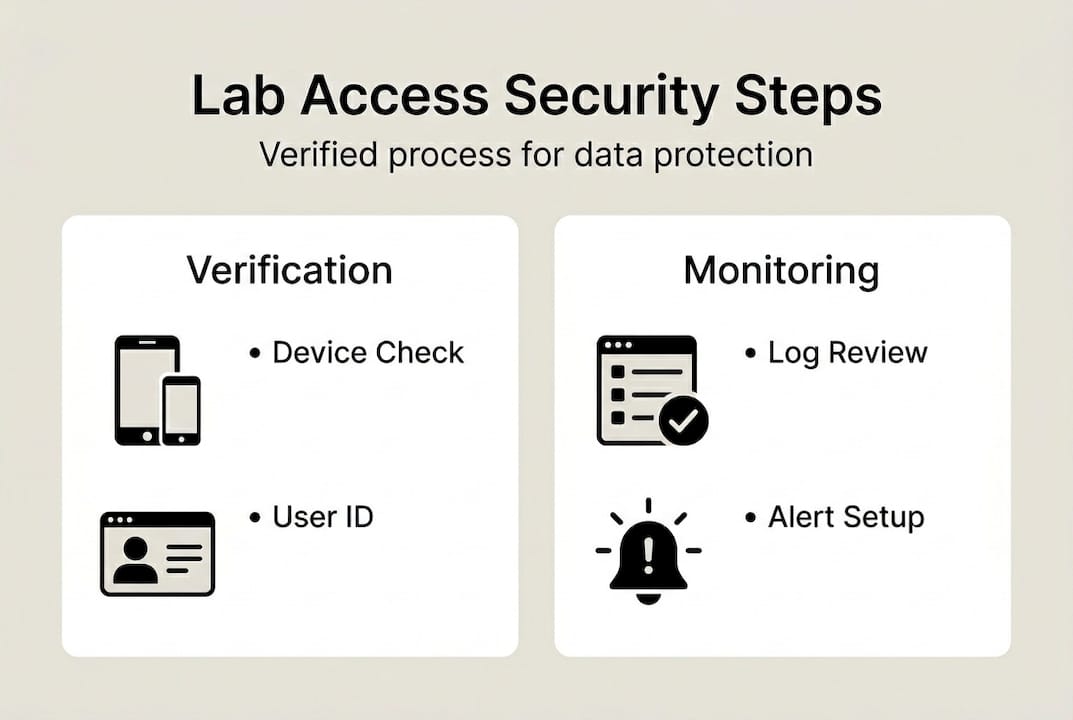
Start by testing your onboarding flow end to end. Confirm that device posture evaluation triggers correctly, that MFA prompts appear for every session, and that bastion host logging captures all connection metadata. Any gap here is a gap in your audit trail.
Audit logs should capture:
- User identity and authentication method for every session
- Device ID and posture status at time of access
- Timestamps and session duration
- Resources accessed and any data transferred
- Failed login attempts and their source IPs
Zero Trust monitoring standards confirm that admin sessions must be monitored continuously, and that unpatched devices should be automatically denied access without manual intervention.
For DEA, FDA, and IRB audits, your logs need to be tamper-evident and retained for the period specified by your regulatory framework. Typically, that means a minimum of two years for most research environments, though DEA-regulated materials often require longer retention.
| Monitoring activity | Frequency | Responsible party |
|---|---|---|
| Audit log review | Monthly minimum | Lab administrator |
| Credential rotation | Every 90 days | All users |
| Device posture check | Every session | Automated system |
| Vulnerability scan | Quarterly | IT or security lead |
For password reset protocols and credential lifecycle management, build a documented process that every lab member follows. Undocumented processes become compliance liabilities.
Higher education IT teams have adopted Zero Trust campus frameworks that treat audit log compliance as a continuous practice, not a pre-audit scramble. Research labs benefit from the same discipline.
“Security monitoring is not a quarterly task. It is a daily operational habit that protects years of research investment.”
Why secure access in research isn’t just IT’s problem
Here is the perspective that most secure access guides miss: the biggest vulnerabilities in research labs are not technical. They are behavioral.
A researcher who connects from a personal laptop on a hotel Wi-Fi network, bypasses the VPN because it is slow, or shares credentials with a visiting collaborator creates a breach risk that no firewall can fully contain. Security architecture only works when every person in the lab understands their role in it.
Secure access setup directly affects grant eligibility, publication integrity, and regulatory audit outcomes. Institutions that have experienced data exposure events know the downstream cost: delayed studies, funding clawbacks, and reputational damage that takes years to recover from.
For peptide calculation compliance and data integrity workflows, the labs that perform best are those that treat secure access as a shared scientific responsibility, not an IT checkbox. When every lab member understands why device posture checks and MFA exist, compliance becomes culture rather than friction.
Small missteps cause headline breaches. Build the habit early, and build it into your standard operating procedures.
Advanced solutions for peptide research access
Ready to put your secure access framework into action with tools built specifically for research environments?
Peppy&Me provides a secure, membership-based platform designed for researchers and lab managers who need reliable, confidential access to specialized peptide materials. The Peppy&Me partner platform supports collaborative research workflows with access controls and order tracking built for institutional use. The dose calculator for labs helps research teams maintain precise, compliant records for peptide dosage calculations. Whether you are setting up a new secure research environment or tightening an existing one, Peppy&Me offers the infrastructure and resources to support your work with confidence.
Frequently asked questions
What is the safest way to control remote access to peptide data?
Apply Zero Trust principles by verifying every user, device, and context before each access session, and layer in VPN or ZTNA tools alongside phishing-resistant MFA for maximum protection.
How often should labs review audit logs for secure access?
Review audit logs at least monthly, and run an immediate check after any major system change or policy update. Continuous session monitoring with automated denial for unpatched devices adds a strong real-time layer.
Can legacy VPN solutions be safely used in modern research labs?
Legacy VPN can function with strict hardening including strong encryption and MFA, but ZTNA’s app-level controls offer significantly more granular access and eliminate the lateral movement risk that VPN inherently carries.
What is the role of a bastion host in secure lab access?
A bastion or jump host acts as the sole entry point into your secure environment, so only authenticated, authorized connections can reach sensitive systems. SSH key-based access through a bastion, combined with UFW firewalls and Fail2Ban, substantially reduces your attack surface.
Recommended
- Dose Calculator | Peppy&Me
- Private Label Peptides | Start Your Own Research Peptide Brand
- Research Peptides Blog | Laboratory Insights | Peppy&Me
Article generated by BabyLoveGrowth